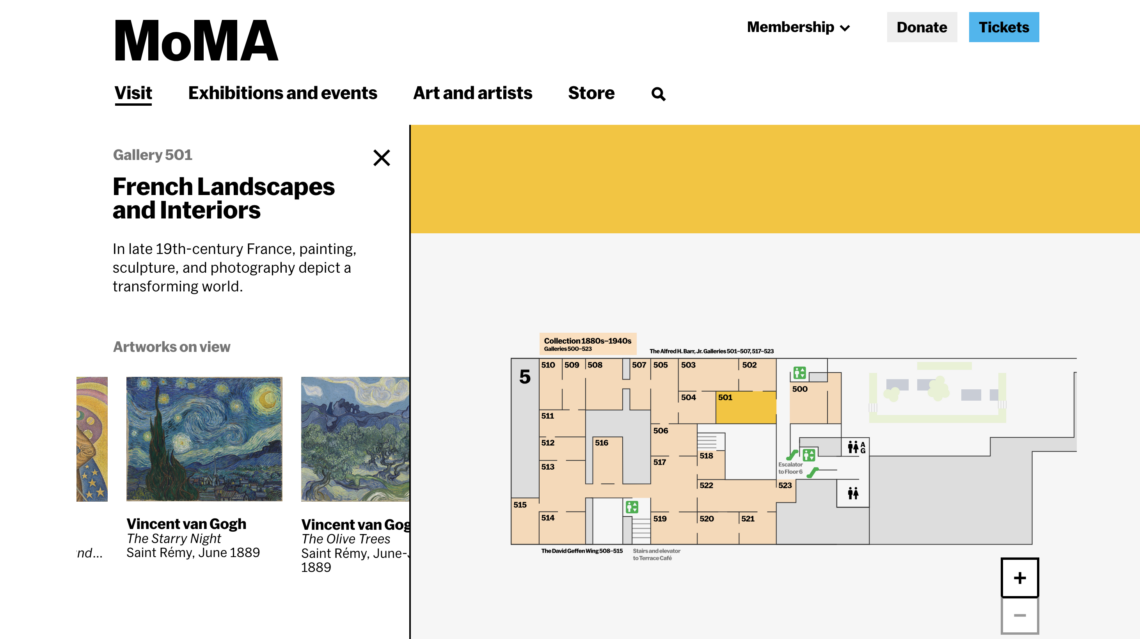
Google has been around since 1998, but I recently found out that Google Images has only been around since 2001. Even further, reverse image searching was only added as a function to Google Images in 2011. The internet seems so built around images, but search functionality is entirely built on text infrastructure. Finding relevant images with a Google search is a game of careful search engine optimization and it is a game that the user has to master. Finding relevant images from a search inquiry is a skill that we have come accustomed to, but are there other ways we can find images? Consider a museum as an analogy to consider alternative image search options. We may go to the MoMA looking to see Starry Night and Starry Night only. We can go to the help desk and inquire, “where is Starry Night?” and we would get an exact answer to find our image. This is akin to a traditional text-based image search inquiry. Consider instead someone who is interested in seeing late 19th century French landscapes and interiors. Upon inquiry, they will be delighted to know that someone at the MoMA has already curated an entire gallery of works that are relevant to their needs. Their inquiry is broader, so with a traditional image search inquiry might produce a wide variety of results ranging in relevance. Importantly, in a traditional search, the user has to vet these images for relevance. In the museum example, the curator of the museum has already done the vetting. The museum has eliminated the possibility of finding irrelevant works. Intentionally curated image collections change how we can find relevant images.
For this blog post, I will explore how search image results vary depending on which platform the inquiry is made. The search platforms I will use are Google, the built-in search function on the Museum of Modern Art website, and ChatGPT. I then will assess the results for their relevance to the inquiry, their ease of use, and any other noteworthy observations. For consistency of results, I will use the same search inquiry for all platforms: “late 19th century French landscapes and interiors.”
The Museum of Modern Art
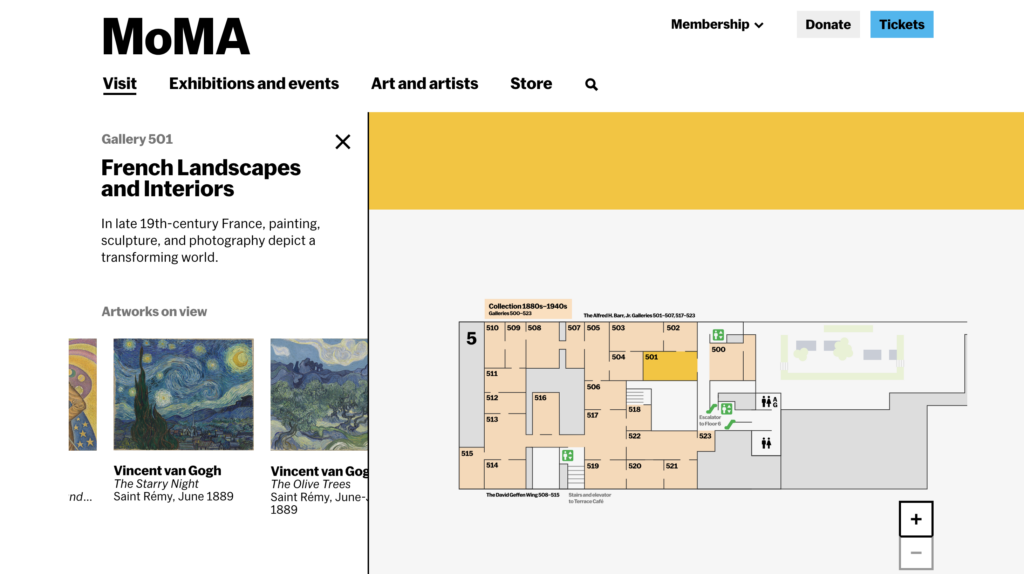
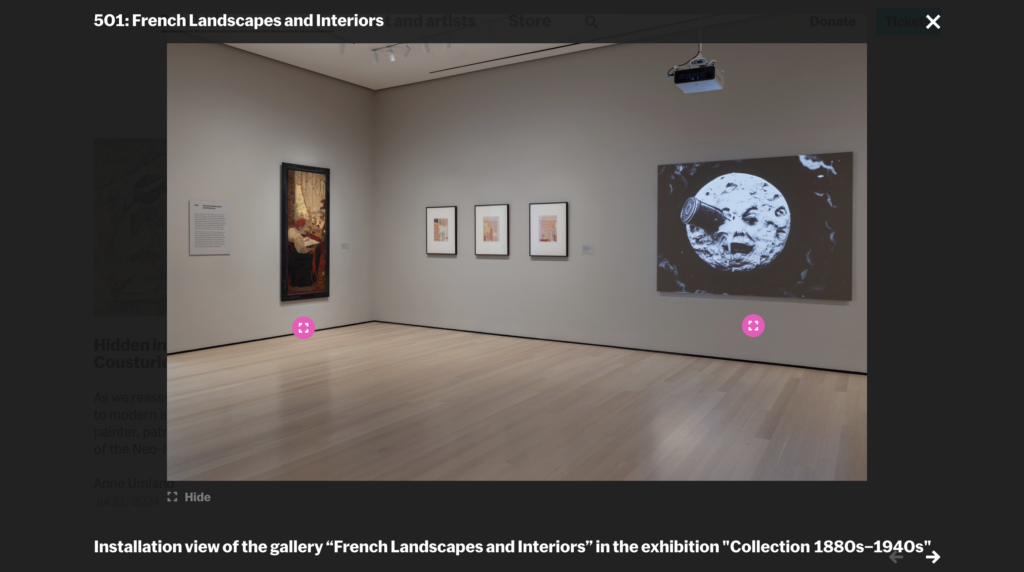
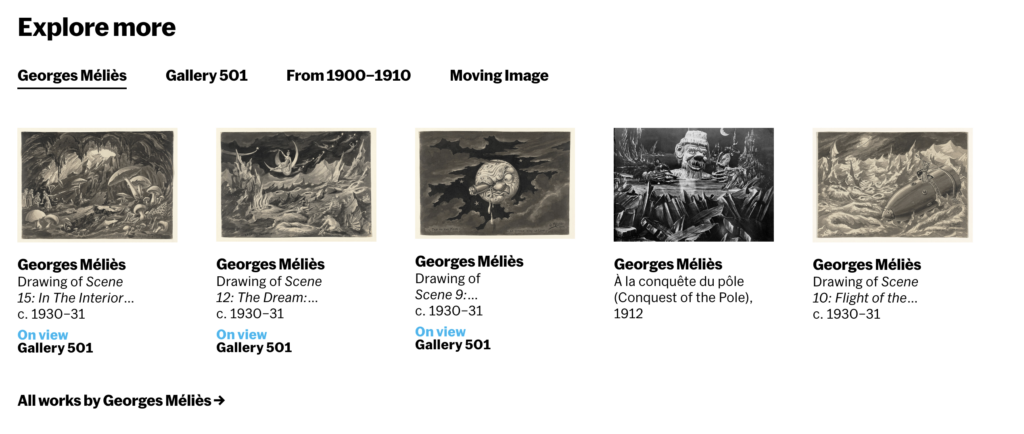
The Museum of Modern Art, like many museums with an online presence, have digitized the pieces from their on-display collection. Their website has its own search function located at the top of the website. The search function likely uses metadata from each object to power the search functionality. For example, a vase could be found searching for vase or for 1900. Searching for “late 19th century French landscapes and interiors” provides a link to the page for Gallery 501, their gallery space curated with French Landscapes and Interiors. The page produces images of items from their collection, text explaining the historical significance of the objects, and photographs of how the works are installed in the gallery itself. On this site, as much information as possible is provided to give users the full context of the object as though they were in the collection. To take it even further, when a user clicks on an object of interest, they are then recommended similar objects either by the same artist, in the same time period, or in the same gallery. As both a pro and a con, the museum website is a one stop shop. Users can find a lot of information about an object as well as many other objects that could be relevant as well, but of course, the major caveat is that everything on the MoMA website is something that is in the MoMA collection. Users don’t get the full scope of an artist’s work just from this one source. And in that case, they can turn to more generalized search engines that can pull from multiple museum pages with one search.
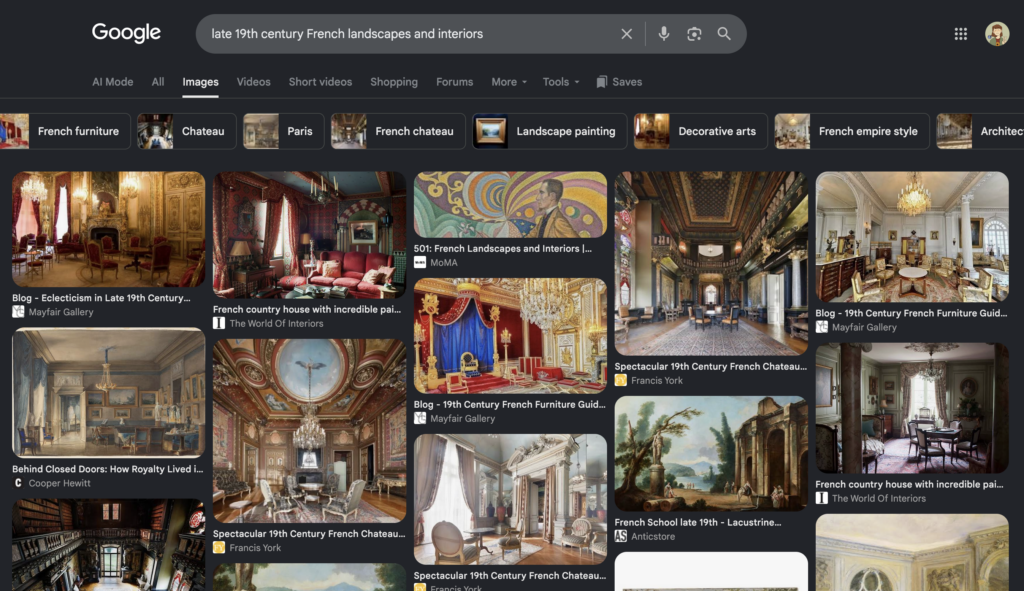
Many people begin their general search inquiries at a search engine. It’s a simple principle, if someone doesn’t know where to start, they start somewhere that will take their broad ideas and narrow them down. A user searching for late 19th century French landscapes and interiors may not know that they could search the MoMA and find relevant examples, but they can guess with pretty fair confidence that Google will be able to find images related to their search that will then point them to sources they can further vet. Here we can even see that the inquiry leads to an image from the MoMA gallery 501. Yet the results aren’t exactly like those that were on the page for the MoMA. We get an entirely different set of images now. These ones seem to be much more focused on the “interiors” part of the inquiry. Google Images pulled results from chateaus and houses with 19th century French decorative arts. And while this isn’t an irrelevant set of images, it is interesting that the landscapes part of the inquiry is almost entirely invisible aside from one example from “Anticstore.” Upon close inspection, notice that several of the images are from the same website. Three images are from “Mayfair Gallery,” two are from “The World of Interiors,” and three are from “Francis York.”
ChatGPT
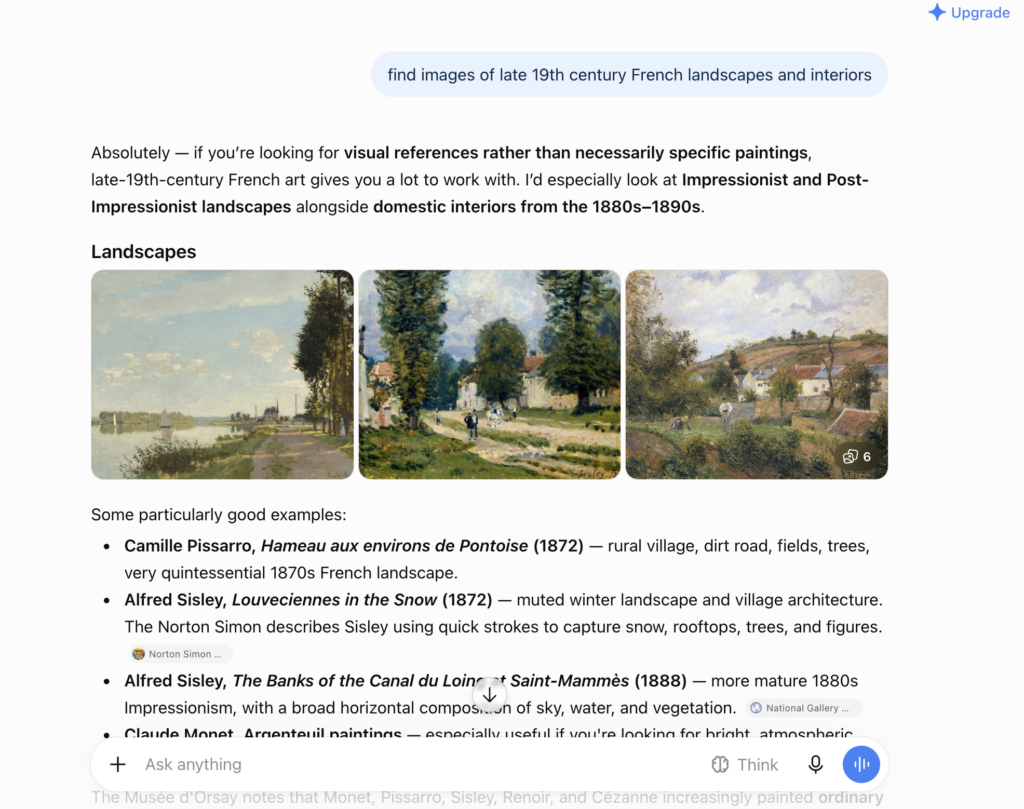
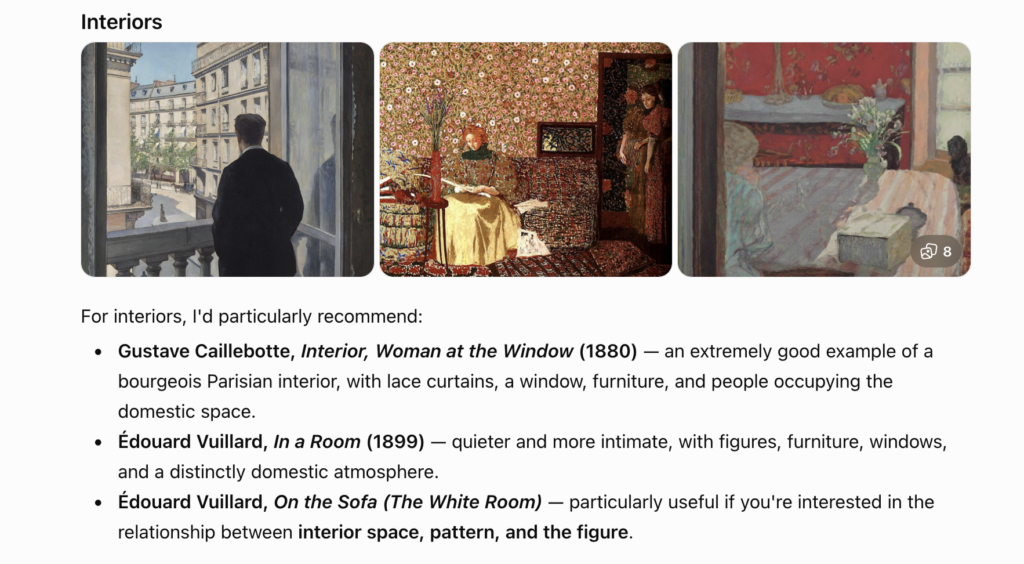
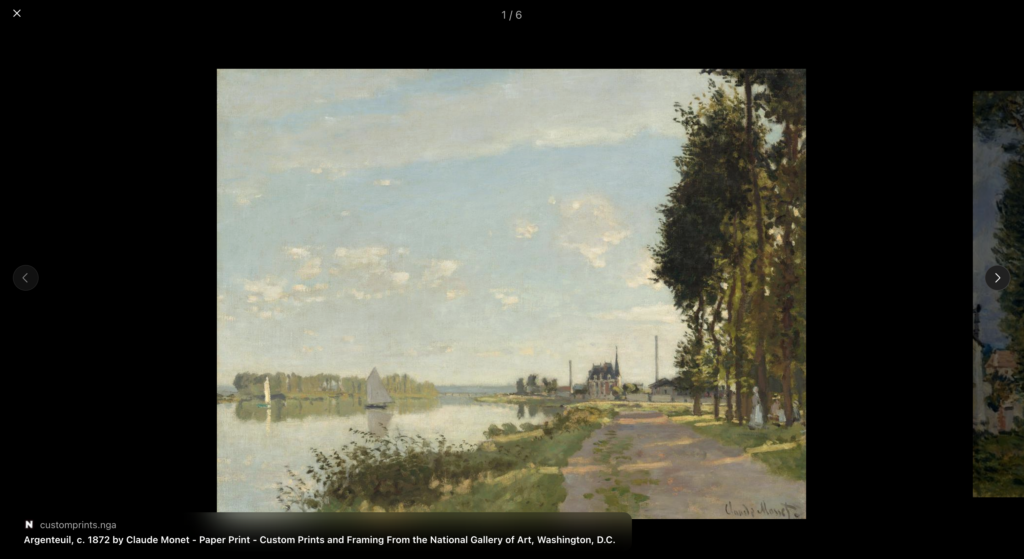
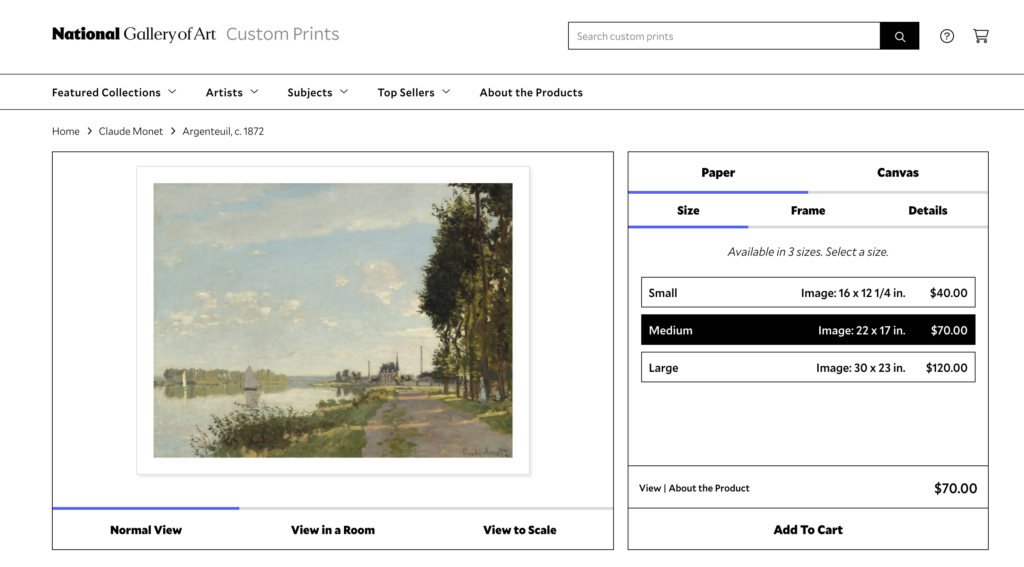
Lastly, ChatGPT doesn’t function the same way as other search websites. Just entering the inquiry “late 19th century French landscapes and interiors” isn’t enough. ChatGPT and other AI models need to be prompted, and the variables have to be defined more specifically. For this search, I had to specify “find images” as my goal. This immediately forces the user to have an idea of what they want their output to be, something that is great for weeding out irrelevant results and bad for browsing and stumbling upon unexpected but relevant results. ChatGPT gave results that aligned quite well with my prompt. It showed works from notable French impressionists, and it pulled results of landscapes and interiors separately but specifically. It gives some information about the time period, has images, gives information about the works specifically, and it says where the object is located – for some of the examples, the results even link specifically to the webpage to the museum. Amazing! Does this mean ChatGPT is the best option for image searching? Well, I still feel skeptical. I clicked on the Monet image Argenteuil. I noticed that the image linked out to the National Gallery of Art, but more specifically, it links to where you can buy prints of the image. This was consistent across all of the images in this collection (two of them link to Christie’s auction house where I could actually buy the painting itself!) produced by my prompt. Ah, so the greatest motivating factor here is that they are trying to sell me something.
In all, each search has its unique advantages and disadvantages to finding relevant images. Museum websites are reliable, but are limited to their own collection. Google is great for narrowing down a broad topic into a more specific scope, but it has redundant or irrelevant images as well. ChatGPT produces relevant results, but its results are influenced by ad revenue. It could be easy to dismiss any or all of these, but it takes skill to know when it is best to use which search tool. Ultimately, when using any website, consider, what is the goal of the institution that runs this website? A nonprofit museum won’t have the same motivations as a multi-billion-dollar company.



Hi Kat! I think this was a really interesting kind of thought experiment, particularly as we’re beginning to create searchable digital archives ourselves. I appreciated how you did not necessarily rank these search engines, but rather, noted how they do different things about what those different things are. Here, we are considering what audiences might want to use different engines for, and what the varying scope of those engines can provide. I found it interesting that ChatGPT, which ostensibly mines the entire internet for data, had the most limited scope of results, only providing three examples. In this case, the chat bot’s focus was on concision and usability, but that does not really work for the art historian who wants a representative pool of images. I typically enjoy MoMA’s digital interface, in part because I’ve visited multiple times and therefore have spatial memories that easily latch onto the map-based part of the interface.
This was a good reminder that while I’m making my CollectionBuilder, I ought to be considering what users might want from my collection, what the scope is, and how I can best communicate information within that scope.
ma1pnv